
See what you've been building.
Get it out of your head and in front of you, so you can think it through.
Work through
your app.
Building an app with AI? Seamling helps you work through it, whether you're starting with an idea, building it, or reviewing and editing one that's already in use. Download the kit and use its setup prompt with your coding agent. For an existing app, your agent connects a useful first slice in a separate private review folder and opens the local gallery for you to review.
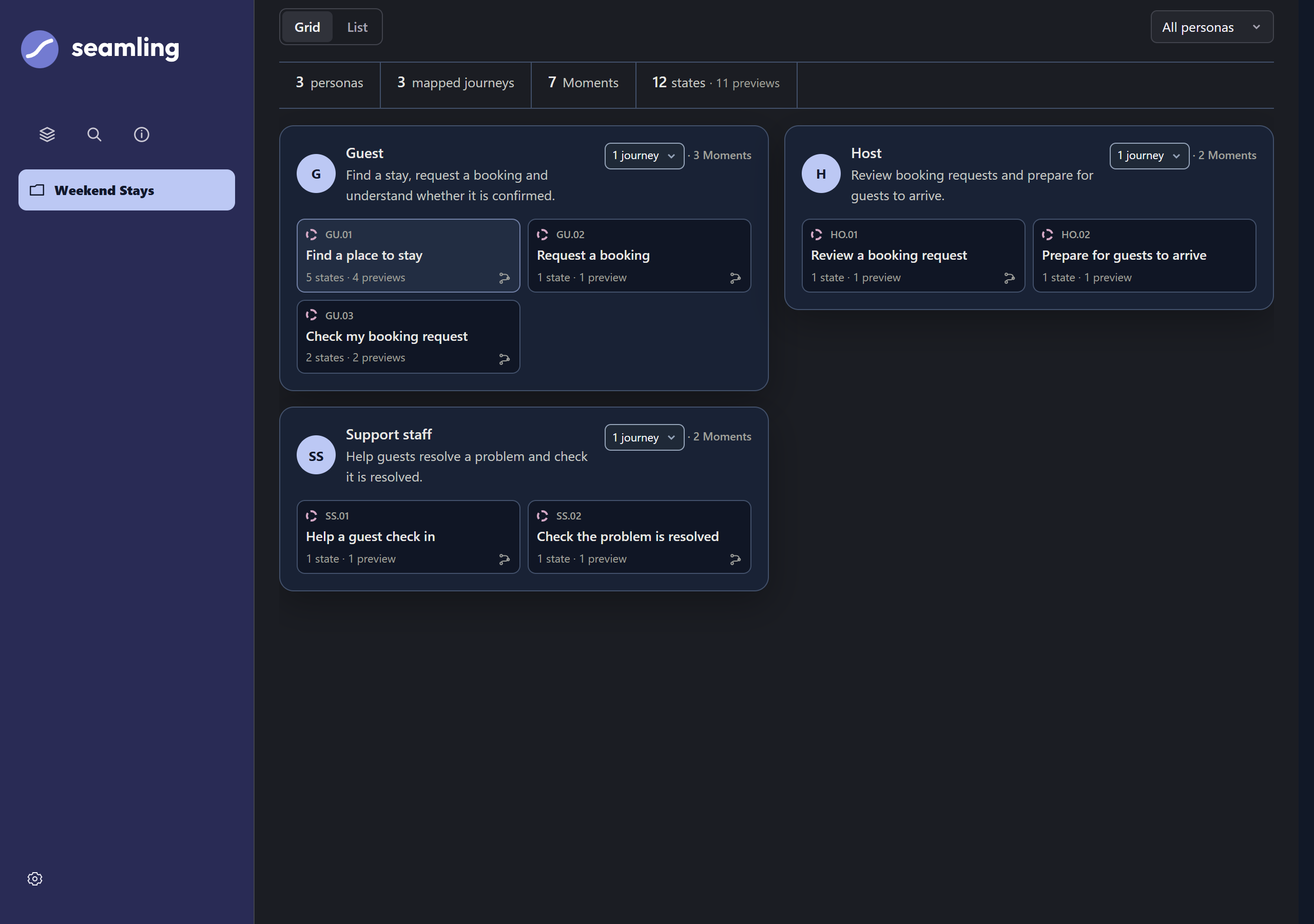
Your agent uses your vision, personas, and the policies and rules your app needs to follow to map the tasks and situations you need to work through. In a booking app, that could mean a guest requesting a stay, a host replying and support staff helping with check-in. These are Moments, connected into journeys.
For an app already underway or in use, it starts with your existing screens and records. For new ideas or edits, it drafts design briefs, works through the logic, and creates previews. You review the work and decide what to take forward.
Review the screens and previews together in a local gallery, with direct access to the states your agent has connected. Check UI consistency, look at waiting, empty and error states, and spot missing steps where journeys should connect.
Prebuilt local gallery & app overviewLook through your app's moments and supported states.
Connected working recordsKeep personas, journeys, rules and decisions alongside the screens.
Prompts & workflowsDefine moments, review designs, and hand over for implementation.
See what this looks like in practice.
Follow Weekend Stays, a fictional booking app: guests find a stay, hosts review requests and support staff help with check-in.
See how your app fits together.
A screen can look right on its own. Review the layouts, wording and next steps across your app.
Take a closer look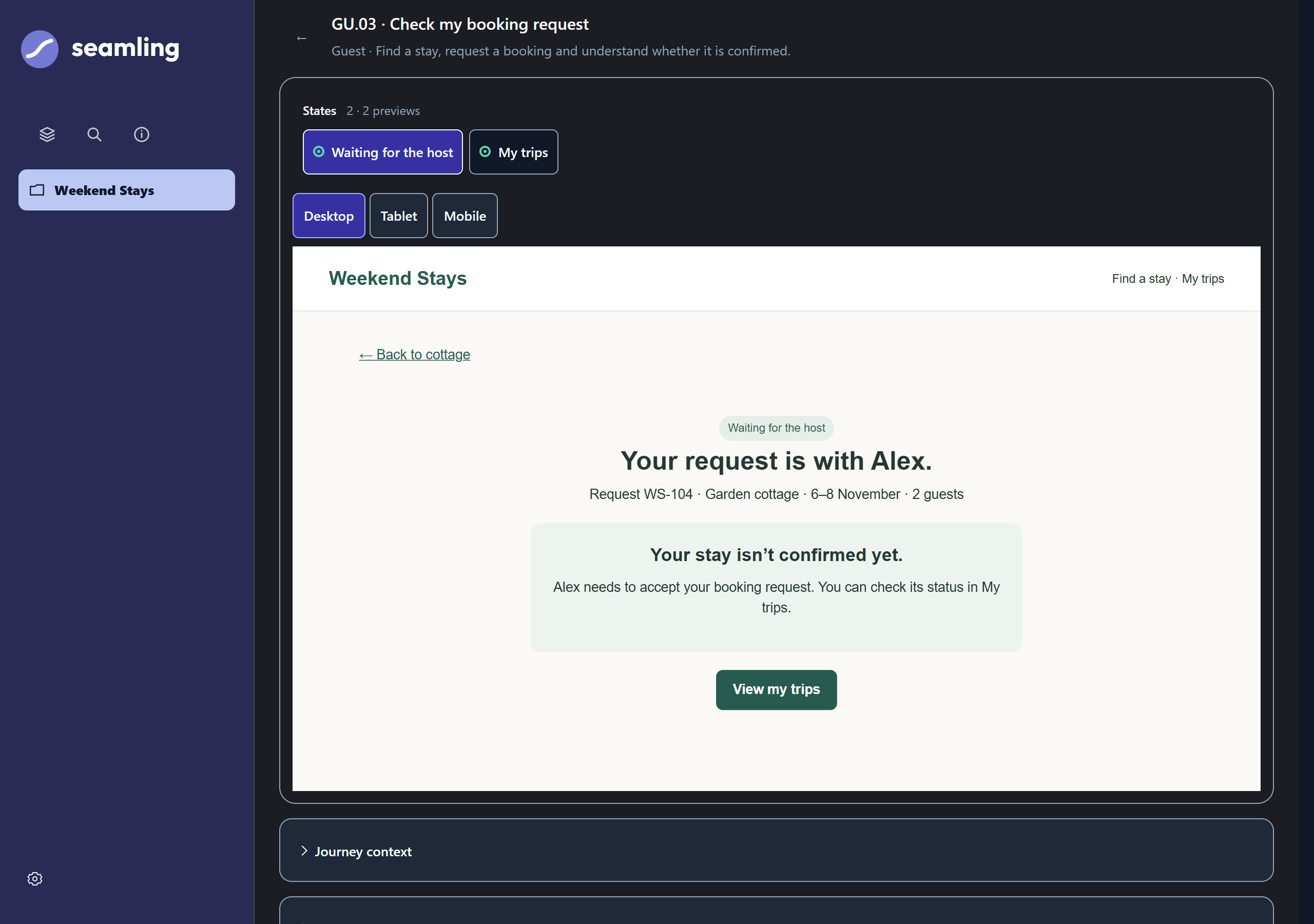
Look beyond the main screen.
The screen changes when someone is waiting, nothing matches, or a service fails. Those situations need thinking through too.
Take a closer lookKeep the thinking connected.
Your app is more than its screens. Keep the reasons behind them somewhere you and your agent can return to.
Take a closer lookKeep moving, with the context intact.
As you review, your agent suggests a useful next step and gives you a prompt to continue in the same chat. You can follow that suggestion or bring your own priorities, add context and update your app’s workflows. Decisions and history stay connected as the work develops.
Pick up the app you put down.
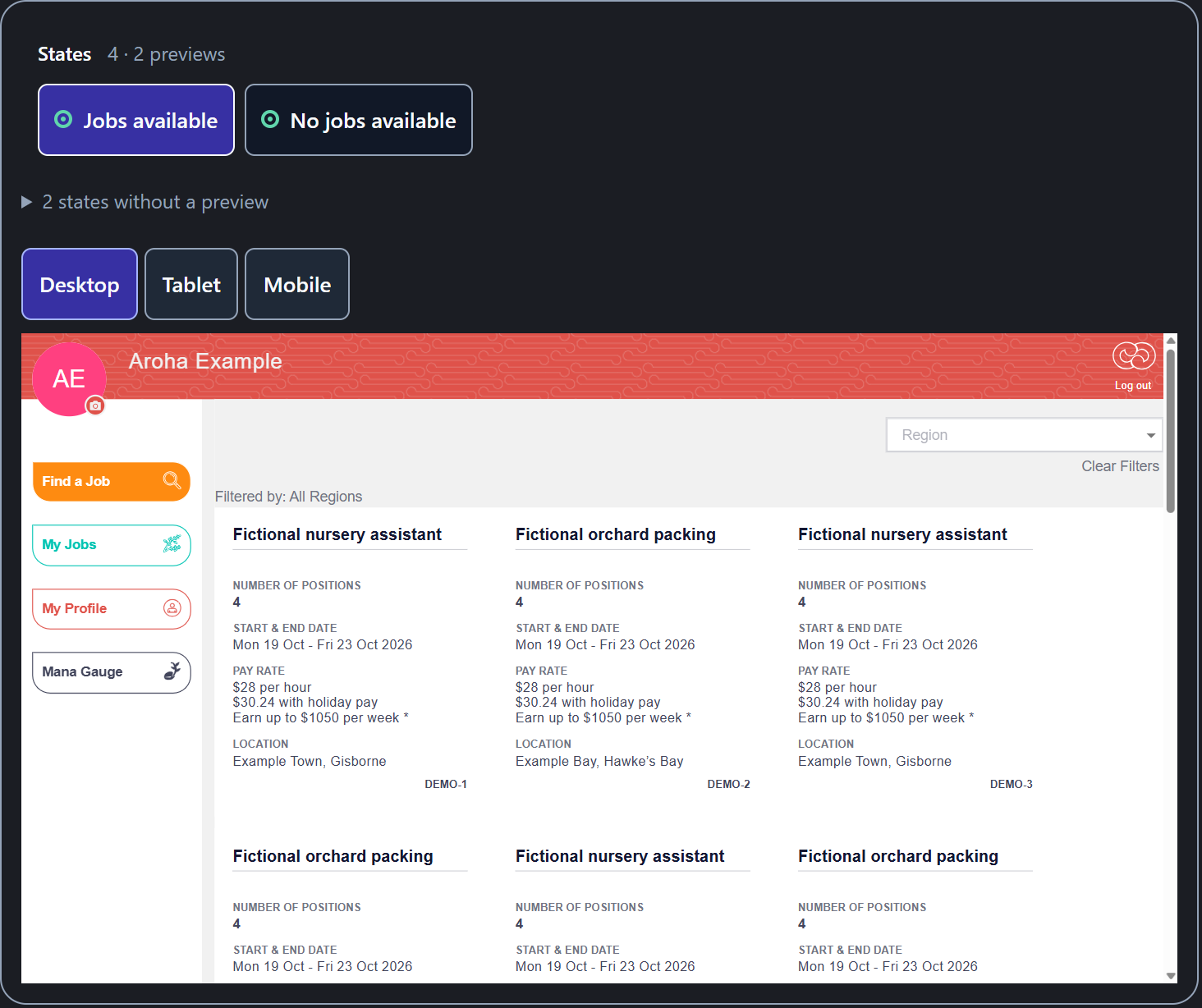
I’d parked Jobloads, an app I started building in 2021, after our runway ran out. I used it to test Seamling and could bring its existing UI into the gallery, review the workflows and explore what could come next if I chose to continue with it.
The test gave me something concrete to review. Building any changes and checking the app for production remain separate work.
Candice, founder of Seamling · Read how I returned to it

Hey, I'm Candice
I've built apps with agencies and an in-house dev team. Being part of a team meant sharing ideas, expertise, and responsibility for different parts of the app.
These days I build on my own. I'm holding all the context: who the app is for, how the journeys connect, and what's still undecided.
Seamling grew out of the way I build. I'm sharing it in the hope that it gives you somewhere to work through your own ideas too.
Why I made Seamling →One kit.
All your apps.
One licence per person. Use it in your own apps and client projects.
Keep the reusable kit private. Clients can review the gallery you create.
US$49
One-time purchase. Includes applicable tax.
Buy Seamling · US$49Secure checkout and digital delivery by Lemon Squeezy.
What you get
A prebuilt local gallery, connection tools, setup prompts and six connected workflow guides. Use them with your coding agent to develop ideas, review existing work and carry agreed designs into implementation and matching checks.
Questions? support@seamling.com
Before you start
What am I buying?
A downloadable ZIP with a prebuilt local gallery, a small fictional example, connection tools and workflow guides. Explore the example if you want to, or use the setup prompt to connect your app directly. Your coding agent connects supported screens and records in a separate private review folder, keeping your app's styling.
Is Seamling useful if I can already code?
Yes. It's for people building apps with AI, including developers who also work through the user experience and product decisions themselves. Your agent drafts the briefs, logic and previews; you review and guide the work. Start with your existing screens or an idea in a new project.
How can I keep AI-generated screens consistent?
Give your agent your existing UI and rules as references, then review the screens together. Seamling keeps the gallery and working records in your project so you can compare layouts, wording and behaviour, and guide corrections. Your agent maintains them with you as things change; consistency still needs review.
How do I review waiting, empty and error states?
Ask your agent to map the situations someone could encounter at each step and bring the supported states into the gallery using safe fixture data. Review what each screen says, what someone can do next, and where the journey continues. Keep missing previews and unresolved rules visible.
What do I need?
Node.js 22 or later to run the local gallery. To connect your own app, you also need a local project, a coding agent and its working development environment. You can start with an idea in a new project or use an existing app. Your agent needs permission to read the project and make local changes. For an existing app, you need access to its source code. If it lives entirely in a hosted builder, check whether you can access and run that code first.
How does setup work?
Extract the whole ZIP and read the top-level START-HERE guide. The runnable kit is inside the seamling subfolder. You can explore the supplied example first, or go straight to connecting your app. For an existing app, open its local source folder as a project in your coding tool. Copy the setup prompt from START-HERE into that app's chat and fill in the three folder paths. Your agent reads the guides and connects a useful first screen and its supported states in a separate private review folder. You do not need to attach the guides individually or rebuild the gallery.
Review what is connected and share your observations. Your agent explains remaining gaps and puts a suggested next prompt at the end of its reply, ready to copy into the same chat. For a new idea, it develops the missing records and proposed experience with your guidance. If you already have a review, continue its existing chat and workspace; the included updating guide explains how to change viewer versions while preserving your work. Connection time and coverage depend on your code, framework and chosen scope. No setup time is promised.
Will it work with my project?
The workflow is designed to be adapted to your project's framework and existing screens. The prebuilt viewer runs locally on Node.js 22 or later. Connection evidence includes a bounded React/TypeScript/Tailwind client experience from a Next.js app. This does not establish complete Next.js integration or universal compatibility. Your project needs its own integration and checks, especially around sign-in, live services and unavailable dependencies.
Will it find every screen and situation?
No. Your coding tool starts with the code and records available in your project. The gallery can help you spot screens, situations, and connections you haven't considered. How much it can show depends on what exists and what can be connected safely. Review the map with it: missing previews and unanswered questions should stay visible so you can work through them.
Can I start with just an idea?
Yes. Give your agent your vision, who the app is for, and any policies or rules it needs to follow. The kit guides it to map moments and journeys, draft design briefs, work through the logic, and create previews as designs develop. You review and guide the work; you don't need to fill out the templates yourself. You still need a local project and coding agent. Seamling is not a standalone app builder.
Can I use an app that's already live?
Yes. Start with a local development copy and reuse its existing screens. Your coding tool needs to keep the review gallery separate from live data and actions, and out of the public app. Screens that depend on live services may need simulated data or more setup before you can review them safely.
How does this fit alongside testing?
The gallery helps you review screens, designs, and connections between moments. You still need to test the working app and follow your release process. A preview or progress mark doesn't establish that it's working in production.
Can I use it for client projects?
Yes. One licence covers one person across unlimited own and client apps. Clients and colleagues can review the gallery without their own licence. You can hand over adapted starter code, generated galleries, and project-specific records. Keep the supplied kit, reusable guides, prompts, workflows, and blank templates private. Anyone using the supplied kit to set up or maintain workspaces needs their own licence. Read the licence and terms.
Support, updates and refunds
Email support covers download access and kit faults we can reproduce. Published corrections to your purchased release are included. Personal installation and lifetime upgrades are not included.
No voluntary change-of-mind refunds after download. Billing errors and applicable remedies for missing, faulty or misdescribed products remain covered. Support · Refund policy